margin
Hackathon Project | Cal Hacks 12.0
Role
Product Designer, DeveloperTools
Figma, HTML, CSS,
JavaScript, VS Code Extension API, Claude API
Team
2 Designers, 1 PM
Skills
Sketch
Prototyping
Frontend Development
Timeline
36 hours
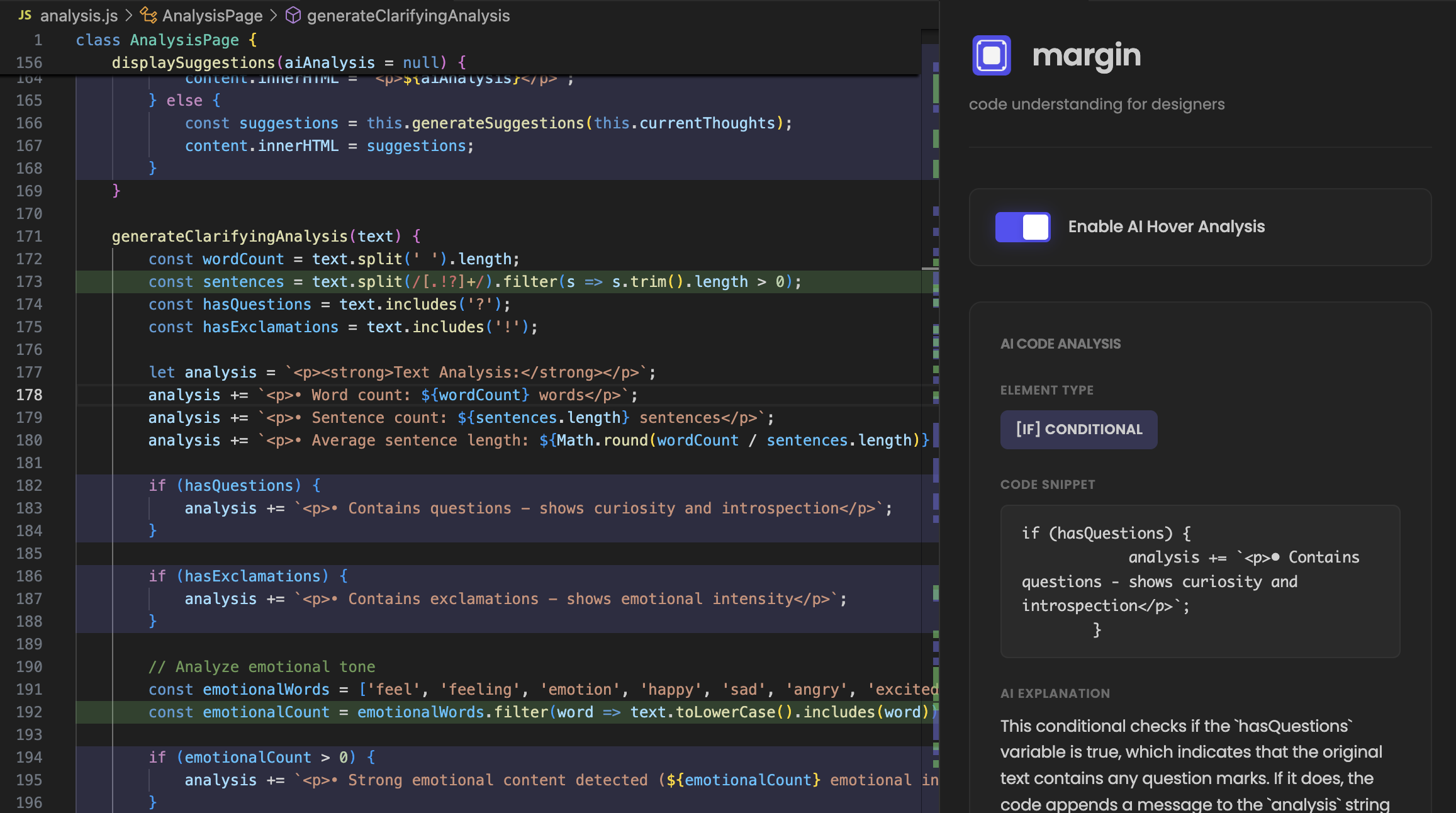
Overview
For designers to learn and think in code.
While AI-powered coding tools like Cursor have democratized code generation for non-technical designers, a critical challenge remains: understanding and modifying the generated code. Designers often find themselves staring at blocks of code that work but feel like a black box, uncertain about how to interpret, debug, or tweak what they've created.
margin is a VS Code extension that transforms code into an educational experience, helping designers build a mental model of how their visual ideas translate into functional code. By combining visual structure breakdowns, AI-powered explanations, and interactive learning features, margin empowers designers to move from code generation to code comprehension.
Solution
A tool that makes code transparent and accessible.
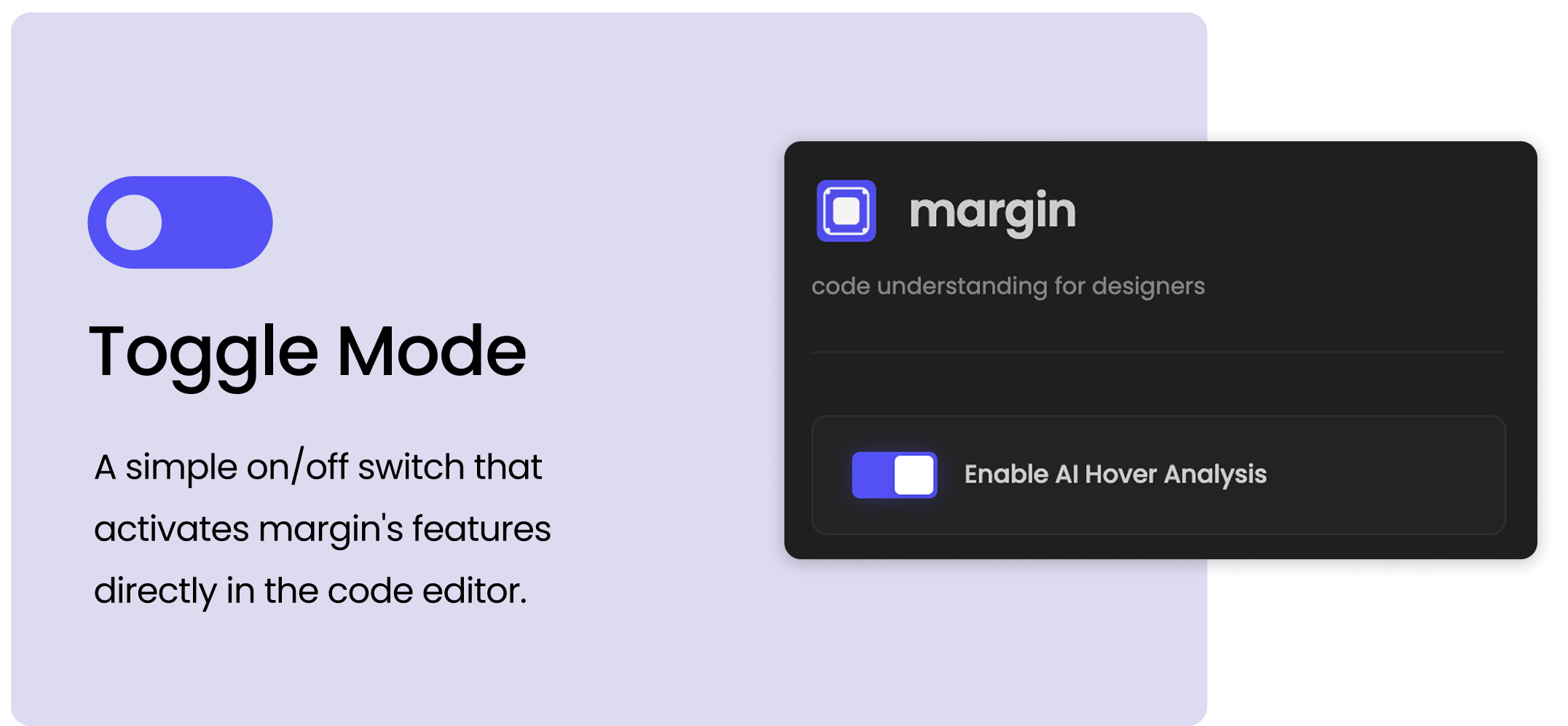
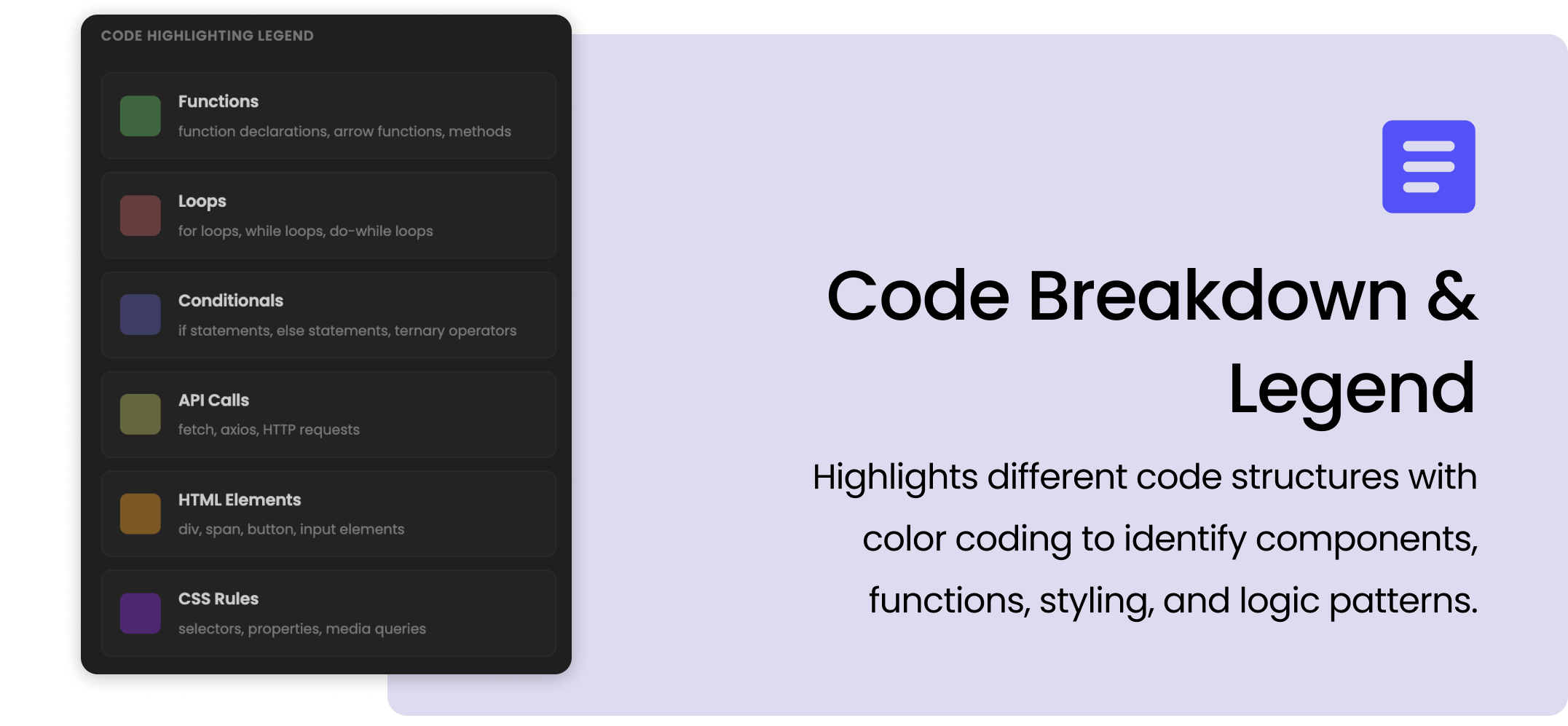
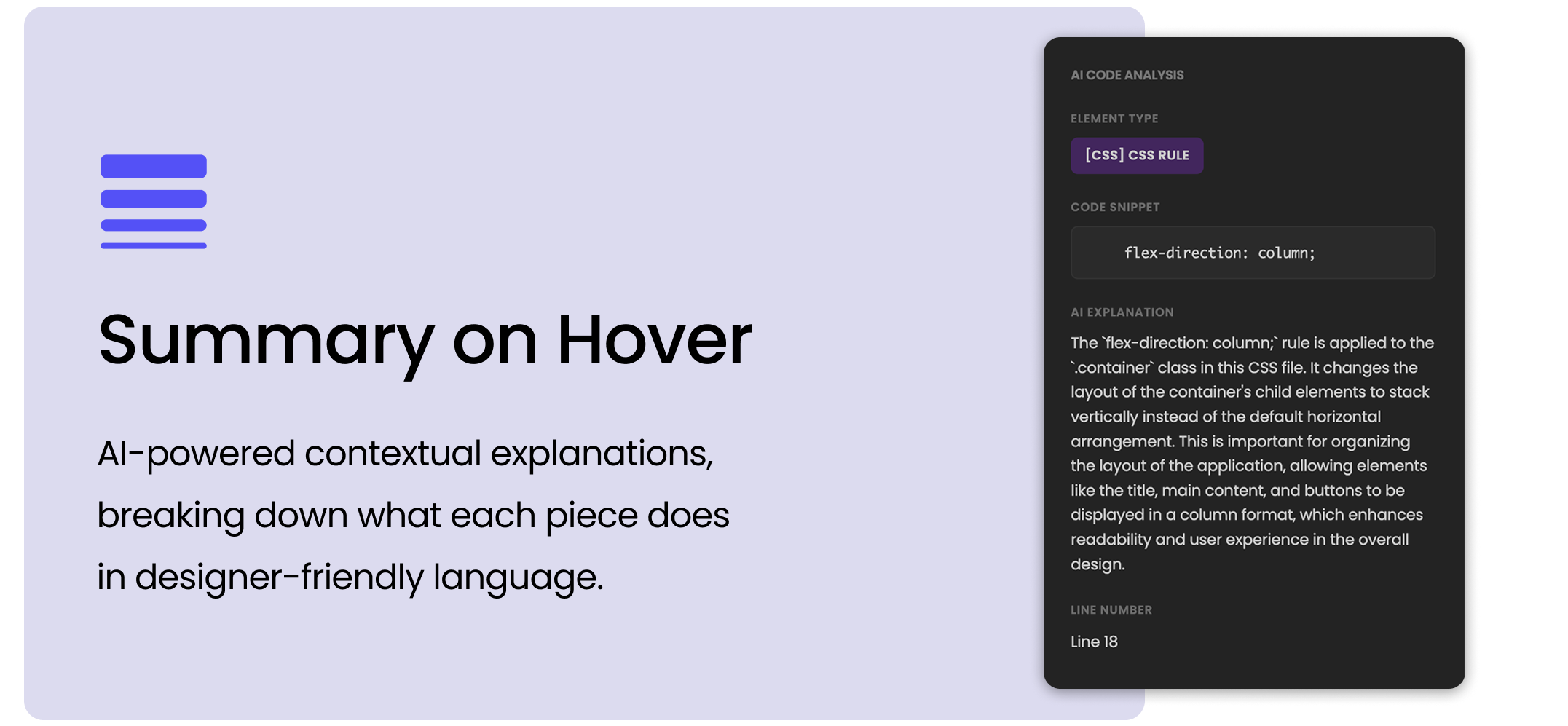
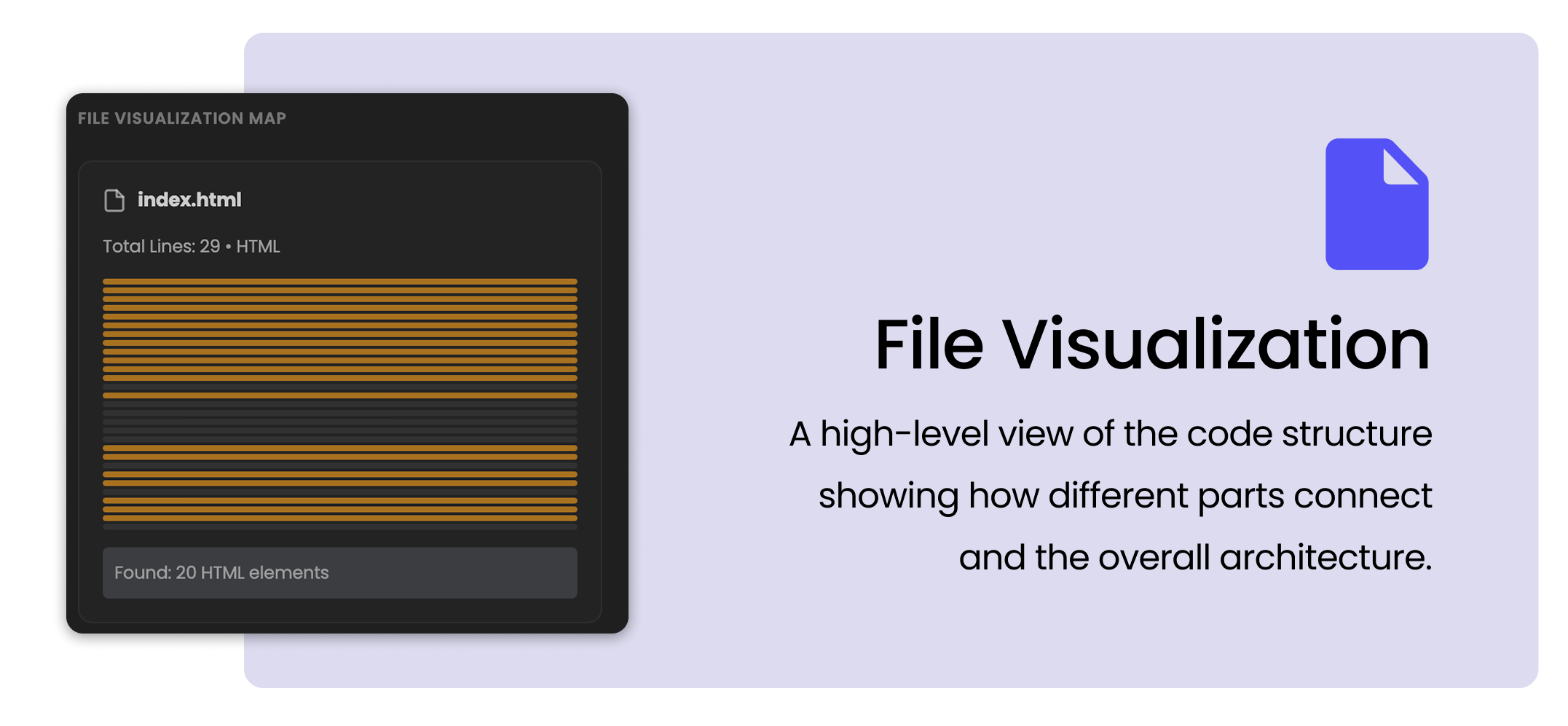
We built a VS Code extension that helps designers understand what their code is doing and how it works.
Context
The rise of vibecoding and the comprehension gap.
AI coding assistants have created the concept of "vibecoding", describing what you want and letting AI generate the code. It's been revolutionary for designers who want to prototype ideas without deep technical knowledge.
But this approach creates a fundamental problem: designers can generate code they don't understand. When something breaks or needs modification, they're stuck. They can ask the AI to fix it, but they're not learning. They remain dependent on the tool rather than building competence.
Prototyping
Design questions.
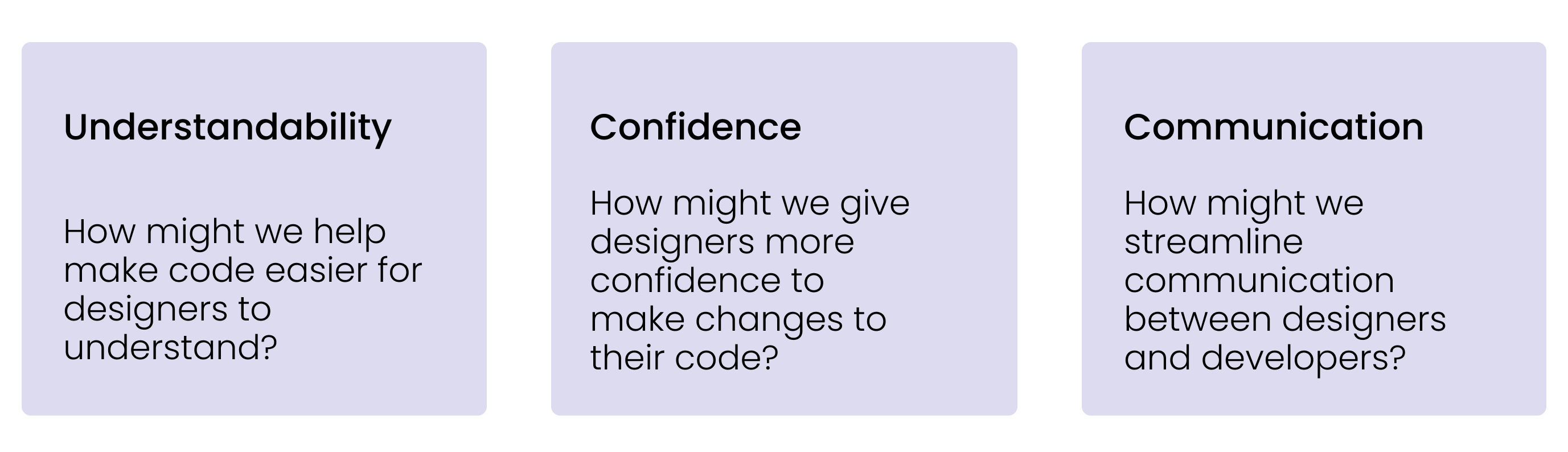
To get started, we wanted to pose foundational questions that our tool should explore.
Implementation
Iterations and implementation.
VSCode Extension Architecture
Creating a VS Code extension requires understanding the extension API, managing editor decorations, and handling real-time code parsing. We had to quickly learn the extension development workflow and figure out how to inject visual elements into the code editor without disrupting the developer experience.
Intelligent Code Parsing
To provide meaningful highlights and explanations, we needed to parse different file types (HTML, CSS, JavaScript, React) and identify code structures. Building a robust parser from scratch wasn't feasible in our timeframe.
Performance & User Experience
Real-time code analysis and AI API calls could create lag, especially for larger files. We needed to ensure the extension felt snappy and didn't interrupt the coding workflow.
Balancing Education vs. Distraction
Too many visual indicators could overwhelm users and make the code harder to read. We needed to find the right balance between providing helpful context and maintaining code readability.
Final Thoughts
Learnings...
This project taught me that the most impactful tools might be the ones that help you understand how to do things yourself. Building margin reinforced that good educational design is about scaffolding learning.
Working under hackathon constraints also taught me to prioritize features. We had to ask: What's the minimum viable version that still creates genuine learning value?
With more time...
I would love to build interactive tutorials that guide designers through making their first code changes with margin's assistance. Something like a "learn by doing" mode where margin suggests small modifications to try.
I'd also explore a community feature where designers could share annotated code snippets, creating a library of "explained code" that others can learn from.